
Hancomoffice Hanword1.4.1 - Get APK
You'll be able to download in few seconds.
Publisher Description
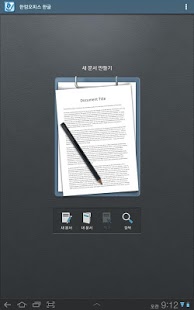
'Hancom Office Hwp 2010 for Android’ is the latest office product for mobile compatible with
'Hancom Office Hwp 2010’. Please check out the device supported because it's different from ‘Hancom Office Hwp 2014 for Android'.
■ This software is optimized for
▷ Samsung : Galaxy tab 10.1/Galaxy Note 10.1/Galaxy S2/Galaxy S3/Galaxy Note1/Galaxy Note2/Galaxy tab 7.0/Galaxy tab 8.9/Galaxy Note3
▷ LG: Optimus VU/Optimus VU2/Optimus LTE2/Optimus G
▷ Pantech: Vega Racer2/Vega LTE/Vega LTE M/Vega R3
▷ Google : Nexus 7/Google Nexus
- Note that using this software on other devices that are not listed above is not guaranteed.
■ Overview
'Hancom Office Hwp 2010 for Android' is a useful word processing application allowing users to create and edit HWP and DOCX documents. 'Hancom Office Hwp 2010 for Android' offers various features: inserting objects such as tables and shapes, formatting paragraphs and fonts, sending the active document to others, finding text within the active document.'Hancom Office Hwp 2010 for Android' with File Manger enables users to conveniently organize files and folders stored in their mobile devices.
○○ Device Requirements ○○
■ Key Features
- Inserting objects such as tables, shapes, images
- Font and paragraph formatting
- Finding and replacing text
- Attaching the active document to an email
- File Manager
- Clipboard (Text Only)
- Equation
- Change Korean/Chinese
- Block Formula
■ System Requirements
- Supported OS: Android 2.3, 3.x, 4.0.x, 4.1.x
- Supported Devices:
▷ Samsung : Galaxy tab 10.1/Galaxy Note 10.1/Galaxy S2
Galaxy S3/Galaxy Note1/Galaxy Note2/Galaxy tab 7.0/
Galaxy tab 8.9/Galaxy Note3
▷ LG: Optimus VU/Optimus VU2/Optimus LTE2/Optimus G
▷ Pantech: Vega Racer2/Vega LTE/Vega LTE M/Vega R3
▷ Google : Nexus 7/Google Nexus
- Storage Capacity : 82MB or more
■ Supported Formats
- Editing: HWP, DOCX
- Viewing: HWP, RTF, DOC, DOCX
■ Languages
Korean, English
■ Notice
1.'Hancom Office Hwp 2010 for Android' with the embedded mobile-optimized fonts may differently display some characters and some areas where Korean and English are not written.
2. The fonts of the original document may change to the mobile-optimized fonts and it may change page layouts.
3. OLE objects, charts, form controls, multimedia effects such as sound, video, flash, some images (AI, CDR, CGM, DRW, DXF, EMF, EPS, HDR, PIC, PICT, PLT, TIFF, WPG, etc.), and image effects are not supported at the moment.
However, OLE objects, charts and form controls in a document saved as Mobile Optimized Document will be displayed as images.
4. .'Hancom Office Hwp 2010 for Android' allows you to open the attached documents in the HWP MIME format on your email.
5. Hancom Inc. will support other tablet and smart devices for .'Hancom Office Hwp 2010 for Android' users.
6. Update to Android 4.1.2 is recommended for Galaxy S3 and Galaxy Note2 users.(Using a Bluetooth keyboard in Android 4.1.1 environment may cause the key to malfunction.)
About Hancomoffice Hanword
The company that develops Hancomoffice Hanword is HANCOM. The latest version released by its developer is 1.4.1.
To install Hancomoffice Hanword on your Android device, just click the green Continue To App button above to start the installation process. The app is listed on our website since 2014-07-22 and was downloaded 0 times. We have already checked if the download link is safe, however for your own protection we recommend that you scan the downloaded app with your antivirus. Your antivirus may detect the Hancomoffice Hanword as malware as malware if the download link to com.hancom.office.hwp.playstore is broken.
How to install Hancomoffice Hanword on your Android device:
- Click on the Continue To App button on our website. This will redirect you to Google Play.
- Once the Hancomoffice Hanword is shown in the Google Play listing of your Android device, you can start its download and installation. Tap on the Install button located below the search bar and to the right of the app icon.
- A pop-up window with the permissions required by Hancomoffice Hanword will be shown. Click on Accept to continue the process.
- Hancomoffice Hanword will be downloaded onto your device, displaying a progress. Once the download completes, the installation will start and you'll get a notification after the installation is finished.
Version History
version 1.4.1
posted on 2014-07-22
version 1.3.1
posted on 2013-06-21
Several fixes and updates
Disclaimer
External Download
We do not host Hancomoffice Hanword on our servers. We did not scan it for viruses, adware, spyware or other type of malware. This app is hosted by Galad and passed their terms and conditions to be listed there. We recommend caution when installing it.
The APK Download link for Hancomoffice Hanword is provided to you by apps112.com without any warranties, representations or guarantees of any kind, so access it at your own risk.
If you have questions regarding this particular app contact the publisher directly. For questions about the functionalities of apps112.com contact us.
